Appearance
Downloading a Packing Slip
Download an RMA's packing slip from within IntelliTrack when the emailed copy is delayed, and find out when the manufacturer provides a shipping label.
When an RMA is created, a Packing Slip is sent via email to the RMA Creator. On rare occasions, the Packing Slip is delayed. When this occurs, the IntelliTrack User has the option of downloading the packing slip from within the platform, thereby expediting the ability to ship the damaged asset to the Repair Depot. Instructions for performing this download are as follows:
- Conduct a Quick Search for the Serial Number or RMA Number from the Home page. When found, click on the Asset Number or RMA Number to launch the View Asset page.


- On the View Asset page, click on the RMA tab.
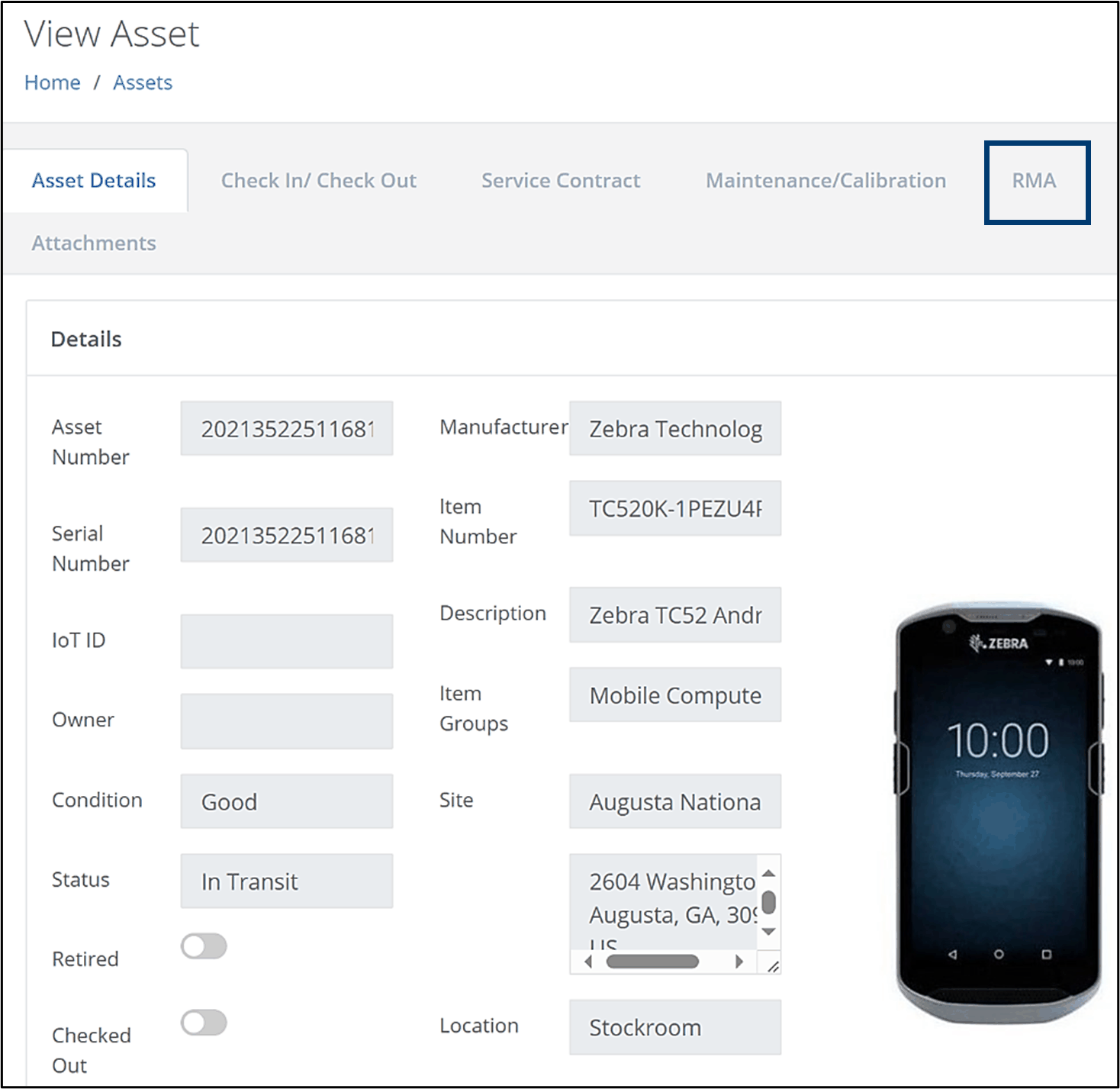
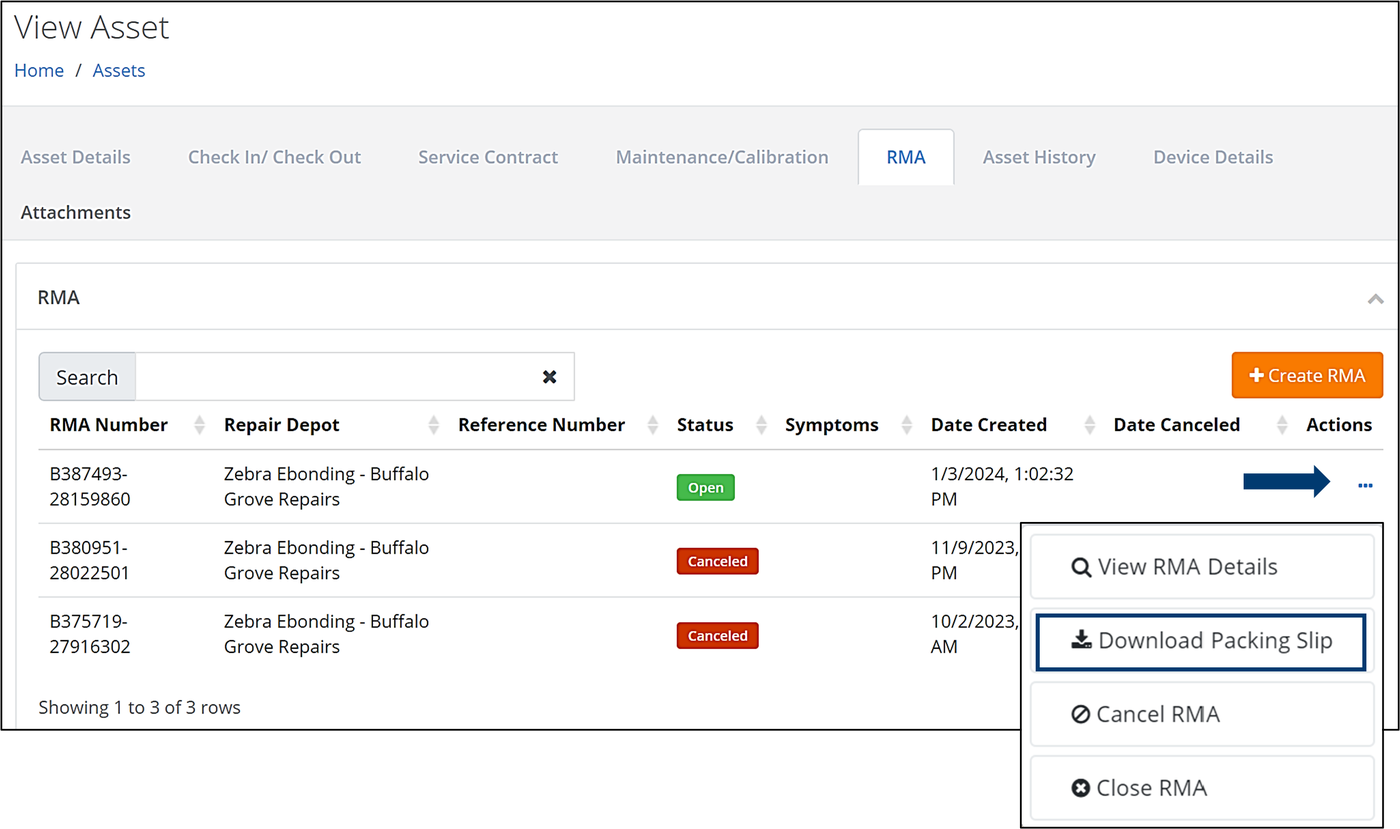
- The View Asset > RMA page will be displayed, which contains the Open RMA.
- From the Actions column, click on the three dots (. . . ).
- Select Download Packing Slip from the list of options.
Generating a Shipping Label
Once the Packing Slip has been received via the email notification or by downloading it to your PC, a Shipping Label may be provided. These labels are not generated by IntelliTrack, but rather by the Manufacturer, and are based on the Service Contract that the asset is covered by. Currently, shipping labels are only provided by Zebra Technologies. They are not provided by Datalogic or Honeywell.
Warranty vs. Service Contract
Shipping labels are not provided if the asset is still covered by Zebra’s Manufacturer’s Warranty. This means that Zebra will repair or replace the asset due to manufacturing defects and workmanship. The coverage provided under a Warranty is included in the purchase price of the asset.
Once the Warranty period ends, a Service Contract will ensure that your assets are repaired due to normal wear and tear and accidental breakage. Although there is a cost associated with a Service Contract, it helps to avoid unexpected and expensive repairs.
Note
If you fail to receive a shipping label, the Service Contract on the asset may have expired or the asset may still be covered by the Warranty. To check on the status of the shipping label, send an email to tech.support@decisionpt.com.
Related
- IntelliTrack® IT Assets User Guide — creating an RMA and viewing its details
- IntelliTrack® IT Assets User Guide — tracking service contracts and when they expire
- VeriMy FAQs — what to do with a VeriMy enabled device before sending it for repair