Appearance
IntelliTrack 2026 Sprint 26.14–26.15 Release Notes
Released: August 13, 2026
Sprint release with improvements and fixes for the general platform and the IT Assets, Fixed Assets, and Mailroom bundles.
General Platform
Improvements
- The Rows-Per-Page setting on Index pages is now retained after a page refresh. As a result, Users no longer need to reset their preferred value.
- Note: This is only retained on the PC/Browser where it is set.
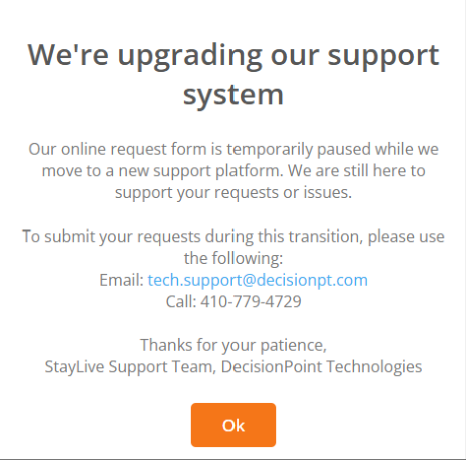
- The "Help" page now displays a temporary splash screen, as seen below, to inform Users that we are transitioning to a new support system.
Fixed
- The value of an Asset User Defined field that has been cleared at the Edit Asset page now remains blank after Save is pressed.
IT Assets Bundle
Fixed
- Email address validation has been implemented across the platform to prevent the sending of invalid emails from IntelliTrack. When an email address is found to be invalid, a validation error will be displayed.
- The Export CSV button found in the RMA Details > Asset History section now works as expected.
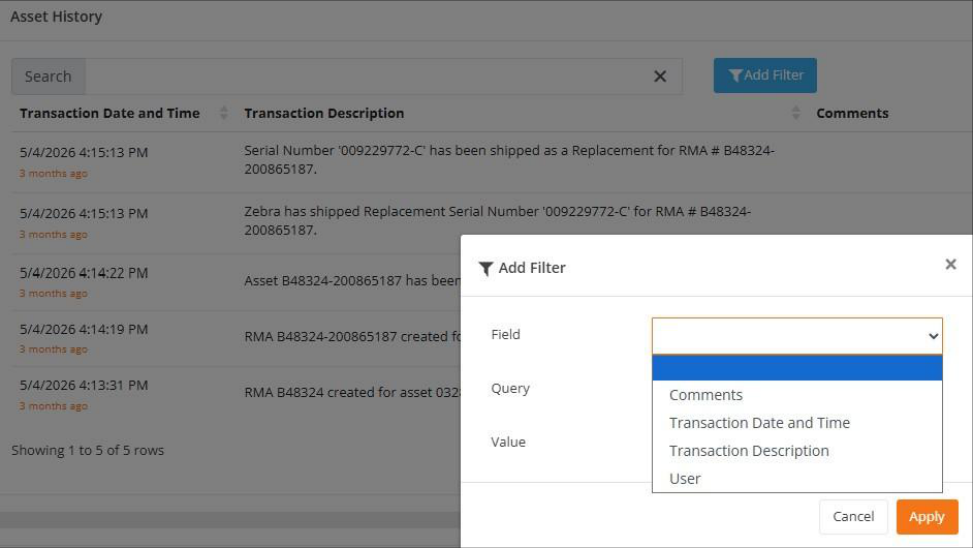
- When applying an Add Filter to the RMA Details > Asset History section, the Field dropdown list is no longer empty, as seen below.
Fixed Assets Bundle
Fixed
- The View Cycle Count page no longer displays an Asset as Counted at the Counted Location and Missing at the Counted Location when the Cycle Count is Closed and the Unexpected Assets are moved to the Counted Location. Now, when an Asset is Missing from the Expected Location but counted and moved to the Counted Location when the Cycle Count is processed and closed, the Asset is shown as Counted at the Counted Location and as Missing from Missing Location.
- When a Cycle Count that contains Unexpected Assets is Closed and those Assets in the Count are moved to the Counted Location due to the Count being closed, the Change Location Transaction that is posted for the Asset's Move to the Counted Location now properly captures the name of the logged-in User who processed the Count. This can be seen on the Asset History page and on the View Asset > Asset History tab.
Mailroom Bundle
Improvements
- Mailroom Users now have the option to mark a Lost package as Found. This changes the package status from Lost to Received so that it is eligible again for Delivery.
- Note: A package with a Delivered status is ineligible for a status change.